
Follow these instructions to remove the old battery and replace with a new one.
-
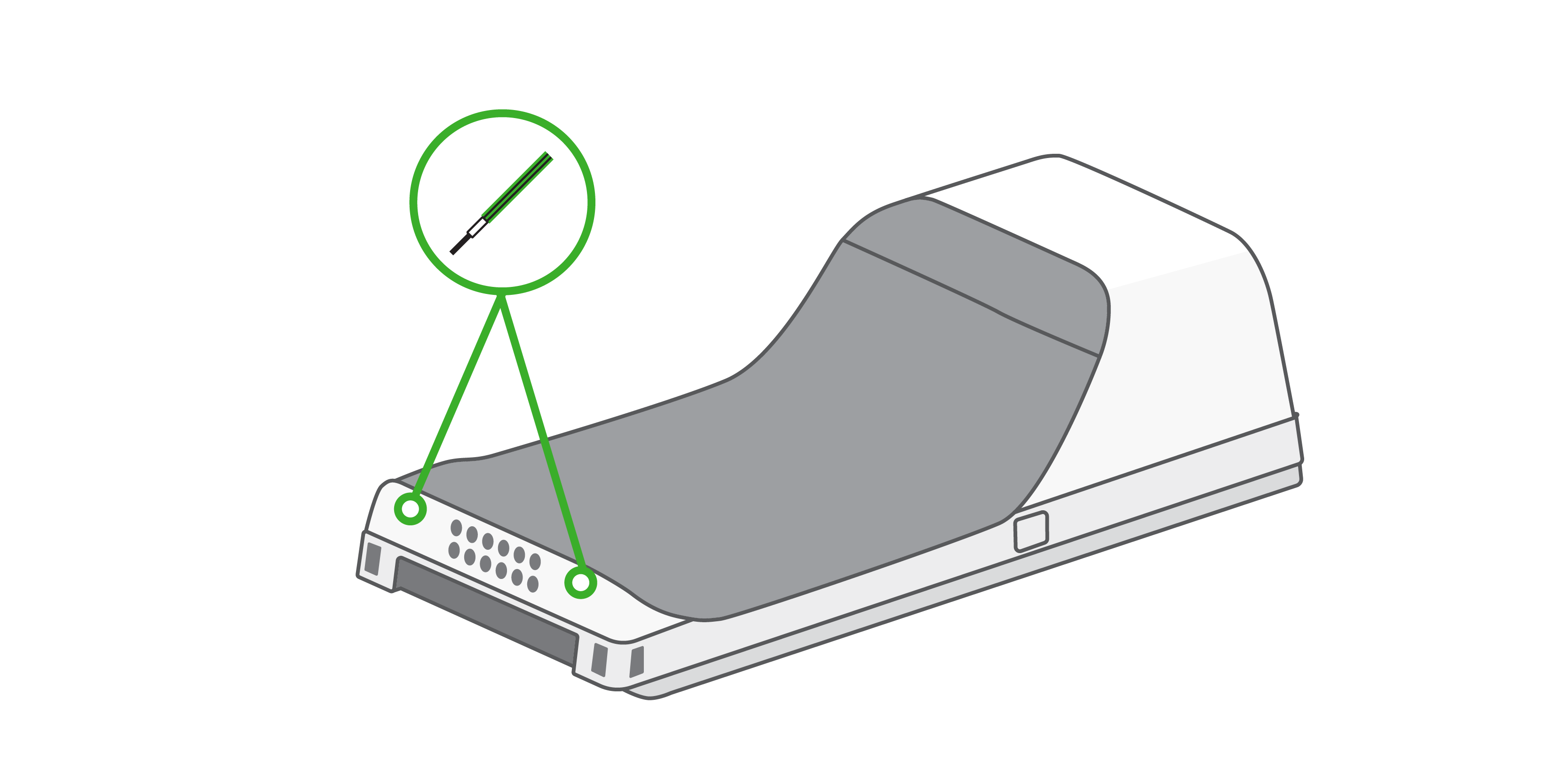
Make sure your Flex is off, then use a 1.5mm hex key or hex screwdriver to remove the two screws at the bottom of the device.
-
Remove the battery door by lifting from the bottom of the device.
-
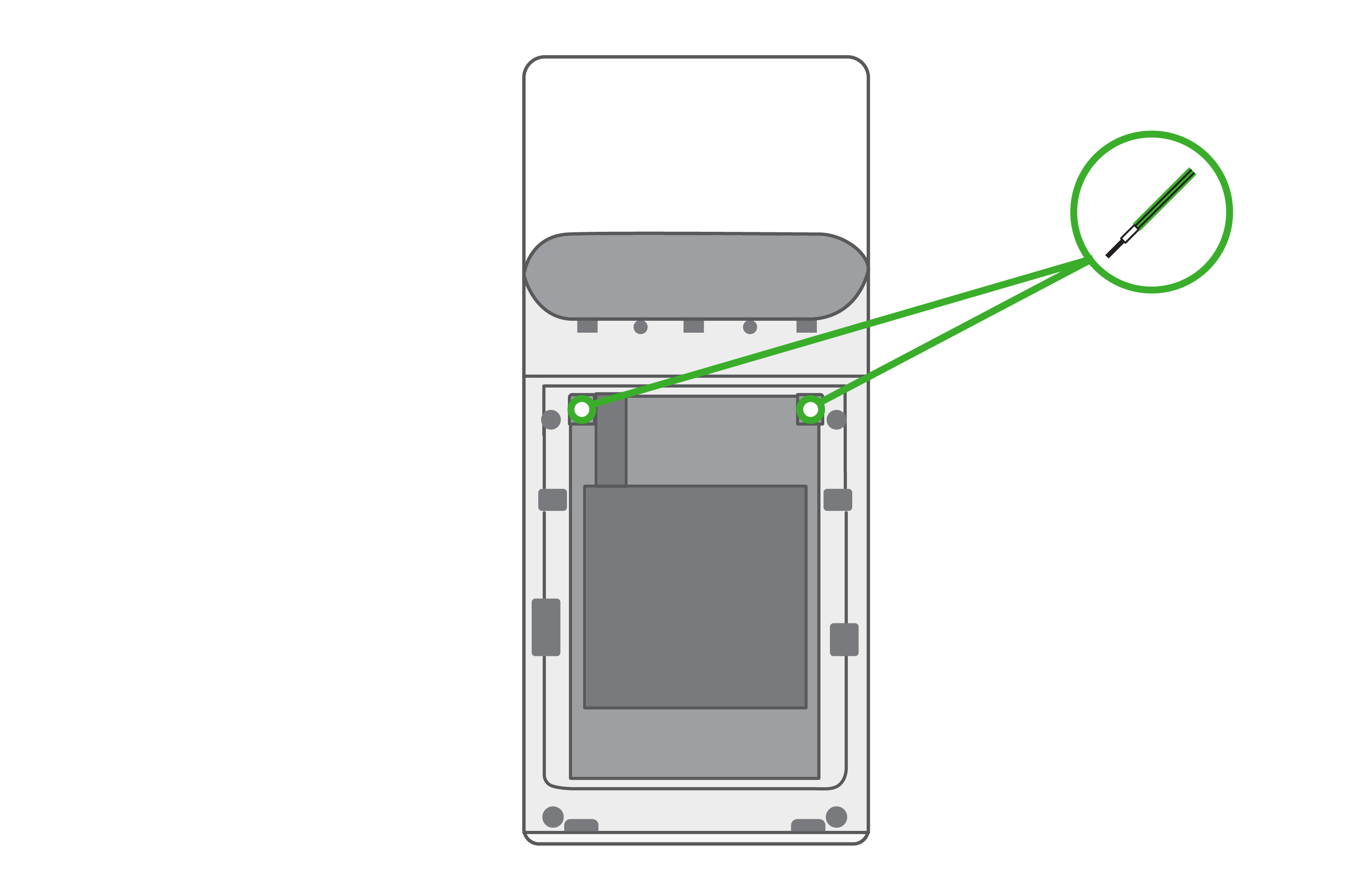
Remove the two screws near the top of the battery, then remove the battery by gently pulling down from the top of the battery.
-
Insert the new battery and reattach the screws and cover.
Comments
0 comments
Please sign in to leave a comment.